Relativity
Precision warping in the fabric of space-time

Everything sounds better when you’re warped.
Relativity is both General and incredibly Special. It shifts, stretches, pitches, bends, dilates, and warps your audio with surgical precision or with aggressive creative mutations.
Tweak intonation on dialog, add a pitch bend to sound FX, extend an orchestral stem, fit a drum loop, shift a sample into a new key, or generate completely mind-bending new sound design ideas.
There’s a dedicated algorithm for every task and the renders run at close to the speed of light. Relativity is the new standard in Pitch and Speed manipulation.
It’s an offline processor as audiosuite for Pro Tools, a custom extension for Reaper, and includes a simplified realtime plugin Relativity RT

“Subquake is now essential to me. Drums just get bigger, braaams braaamier; it’s a massive improvement on the standard low end harmonic generators.”

“Sub synths are often just an obvious wum-wum-wum, but Subquake gives us color, shape and character. I’ll be using this one a LOT!”

“Subquake makes the brown note.”

Independent curves for pitch and speed
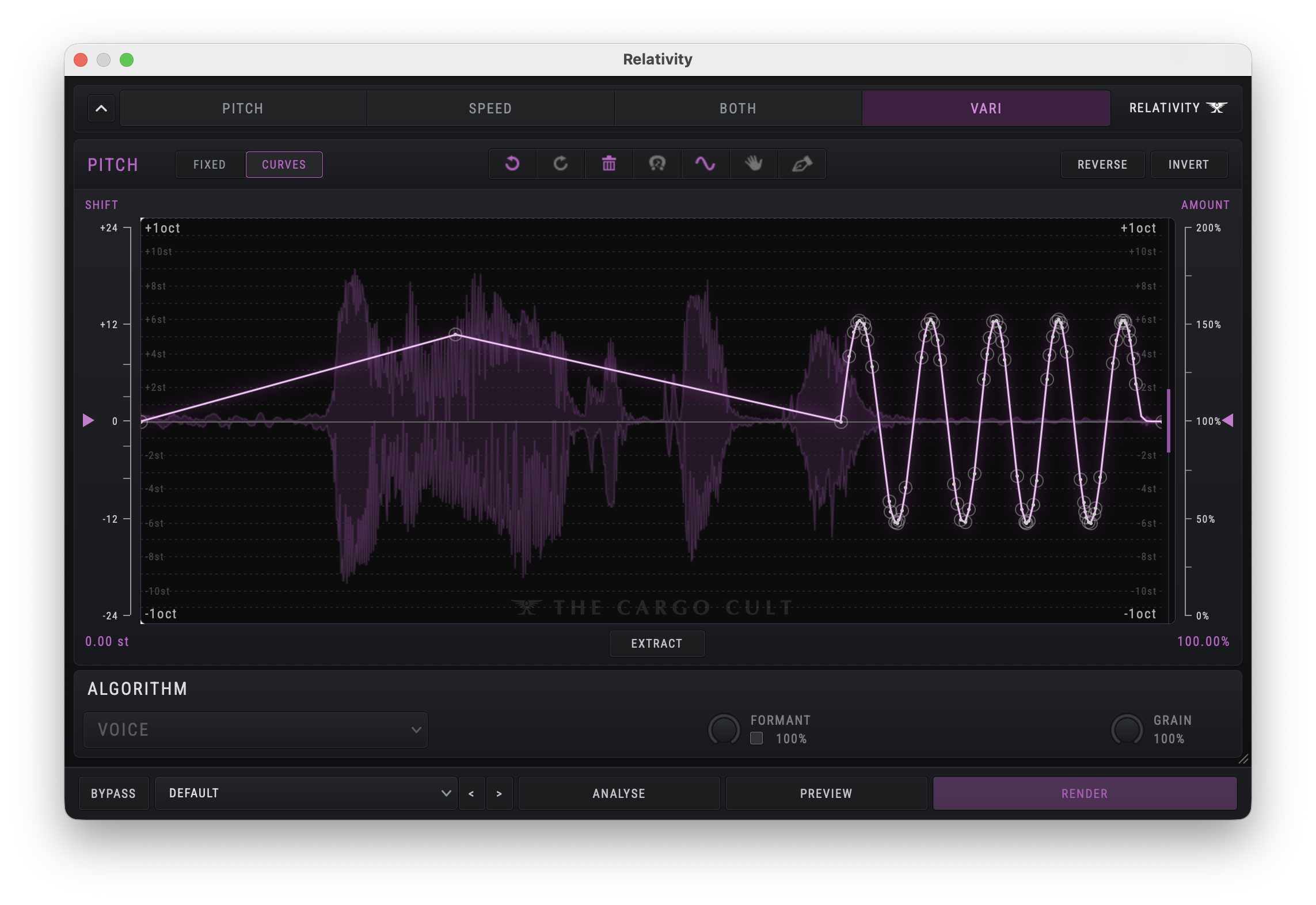
Independent control of pitch and speed with fixed or variable curves – hand drawn, extracted from audio or precision edited with powerful breakpoint editing tools.
Dedicated Reaper rendering extension
We found a way to do “Audiosuite style” rendering inside Reaper, meaning we can do all the freaky length-changing warping and high quality offline DSP processing.
Generate new ideas with creative algorithms
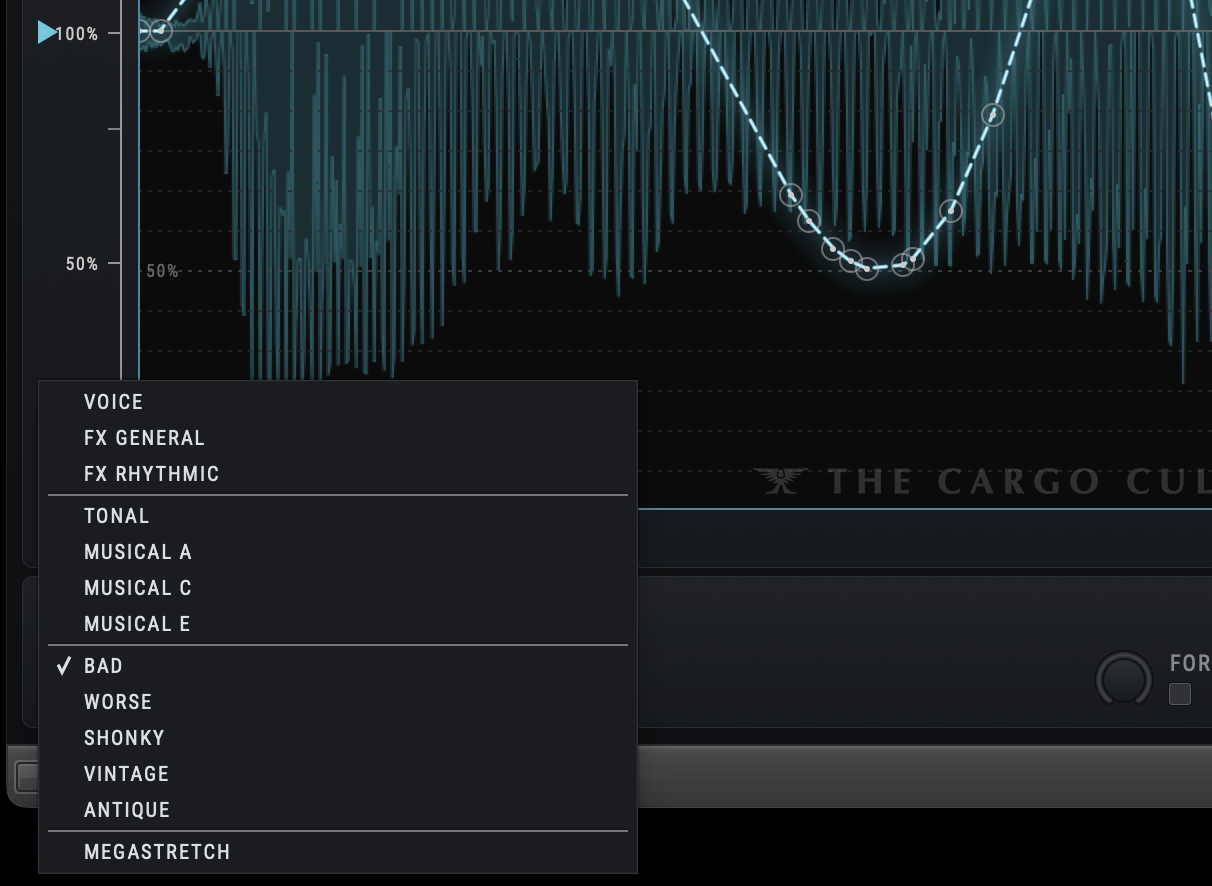
Any sound is cooler with a bend on it, providing shape and movement which helps enormously to fit a sound to picture. But with the creative pitch algorithms like Bad, Worse, Shonky, Vintage and Antique, you can brutally mutate mundane sound FX into truely unique sci-fi madness.
Key features
Stretch to fit exact duration
Capture a specific destination length by hitting the Lock button, then easily stretch any sound to fit that exact length, in samples, timecode or feet & frames.
Phase coherent between channels
Even on 16 channel orchestral stems, Relativity can process the signal as a single entity, maintaining the sync relationship between channels. Alternatively, switch the Audiosuite plugin into mono mode when processing a number of monos, to get the best possible results for each track.
Realtime, automatable pitch shifting
As well as the main offline processing plugin, you get Relativity RT, a simplified version of the plugin which runs in realtime as a track insert. Automate creative pitch shifts using algorithms which very closely match the hardcore offline version, including the wild creative algorithms like Bad, Vintage and Antique.
Independent Pitch and Speed modules
Work with Pitch, Speed, both at the same time, or linked together (varispeed). You can carefully shift the pitch of a section while slowing the whole thing gradually over time, or just use it like a tape machine playback speed.
Novel modulation approaches
Because you can actually draw vibrato or time dilations with the modulation tool, you can achieve strange varying modulation which is impossible to achieve other ways. You can draw a modulation which get faster and slower and then make that whole curve rise over time.
Algorithms tailored to each task
Dialog responds very differently to a full orchestral mix, and strings respond differently to low horns or drums. Relativity offers careful curated algorithms for Voice, FX & Music, with multiple different approaches giving you the ability to find the best possible result for the specific issue you’re trying to solve.
Precise format conversions
Converting between Film-speed, NTSC and PAL is made a whole lot easier with AAX presets for conversions in any direction between each of the 3 common speeds. Varispeed, Stretch to fit or pitch correct a stem which has been imported at the wrong speed.
MEGATRETCH for endless textures
Turn any sound into a washy stretched out version of itself, or draw an absurdly long stretch to turn it into an amorphous ambient texture.
Extract pitch from existing sounds
Need to flatten out the pitch of an existing sound? Extract its pitch curve using Relativity, then invert it and hit render. Or take that curve and render it onto other sounds you wish to use as layers. You could even whistle a shape as reference and apply the pitch bend to sound FX.
Nostalgic stretch like a sampler from the '90s
Tonight we’re gonna stretch like it’s 1999. Time-travel back to an era when time was difficult to dilate and speed change was so obvious that it became a style of its own.
System requirements
- Mac OS10.14 or Win10
- Pro Tools 2023.9 or REAPER for the main offline tool
- VST3, AU, AAX host for Relativity RT (simplified realtime version only)
- Authorisation requires an iLok.com account
Resources
Legacy versions
Take a look at some of our other tantalising offerings